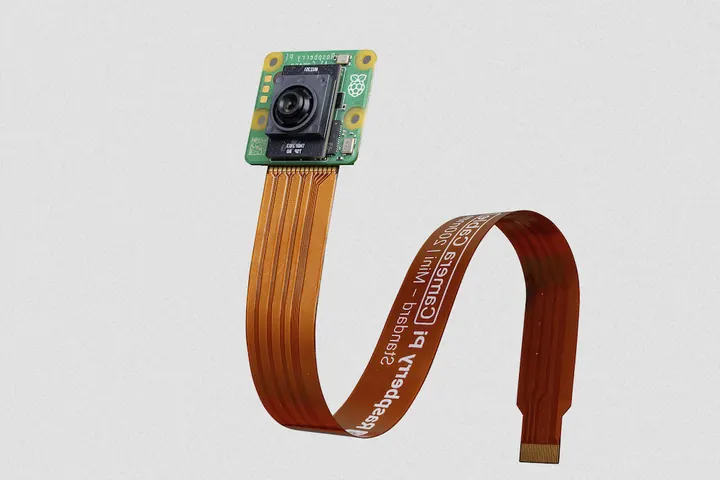
A single robot with four cameras can generate more data in a shift than the rest of its sensors produce in a year. Send all of it to the cloud and your bandwidth bill explodes; keep all of it on the robot and you lose the ability to retrain, audit and improve. This guide works through the numbers and the architecture choices for edge AI video analytics, so you can decide what runs where across a robot or AI camera fleet.
Key takeaways
- Do the bandwidth math first: a single 1080p H.265 stream at a typical 3 Mbps is roughly 1 TB per month, so continuous upload from a fleet rarely makes economic sense.
- Run latency-critical and privacy-sensitive inference at the edge; keep heavy models, cross-site correlation and training in the cloud.
- The winning pattern is usually hybrid: edge filtering, event clips and metadata upstream, plus an active learning loop that sends hard examples to the cloud.
- INT8 quantization and a hardware-specific runtime (TensorRT, ONNX Runtime, OpenVINO, TFLite/LiteRT) often decide whether a model fits on edge hardware at all.
- Treat models like firmware: versioned containers, canary rollouts, automatic rollback and drift monitoring per device.
The bandwidth math of video analytics
Raw video is enormous. An uncompressed 1080p frame in YUV 4:2:0 is about 3.1 MB, so 30 frames per second is roughly 93 MB/s, or about 750 Mbps, per camera. Codecs reduce this by two to three orders of magnitude, which is why every computer vision pipeline starts with the encoder settings. The quick formula for planning:
GB per day = bitrate in Mbps × 86,400 s ÷ 8 ÷ 1,000 ≈ Mbps × 10.8
Bitrate depends on resolution, frame rate, scene motion, codec and encoder preset. The values below are illustrative ranges for 30 fps with moderate motion, typical of a moving robot or an industrial scene, not guarantees.
| Resolution (30 fps) | H.264 typical bitrate | H.265 typical bitrate | Per camera at H.265 midpoint | Per camera per month |
|---|---|---|---|---|
| 720p | 2–4 Mbps | 1–2 Mbps | ~16 GB/day (1.5 Mbps) | ~0.5 TB |
| 1080p | 4–8 Mbps | 2–4 Mbps | ~32 GB/day (3 Mbps) | ~1 TB |
| 4K (2160p) | 15–25 Mbps | 8–15 Mbps | ~130 GB/day (12 Mbps) | ~3.9 TB |
Now scale it. For example, a fleet of 50 mobile robots with four 1080p H.265 cameras each, running around the clock, produces about 600 Mbps of sustained video, about 6.5 TB per day and close to 200 TB per month. Even before storage and egress costs, many sites cannot sustain that uplink, and cellular-connected robots certainly cannot.
Compare that to what an edge model emits. If a detector outputs 20 objects per second at roughly 200 bytes each, the metadata stream is about 4 KB/s, or around 0.35 GB per day per camera, nearly 100 times less than the compressed video. If event clips cover 2% of operating time, they add about 0.65 GB per day per camera. That ratio is the economic case for edge computing in robotics.
Edge vs. cloud: the four deciding criteria
Latency
If the result of inference changes what the robot does in the next few hundred milliseconds (obstacle classification, grasp verification, safety zone violations), it belongs on the device. A cloud round trip adds network latency, jitter and an availability dependency. Analytics consumed by humans or dashboards, such as shift reports or defect trends, can tolerate seconds to hours.
Privacy and data residency
Cameras in warehouses, hospitals and public spaces capture people. Processing on the edge and sending only anonymized metadata or blurred clips reduces exposure under privacy regulations and customer policies. Some customers forbid raw video leaving the site at all, which settles the question.
Cost
Cloud costs scale with bytes uploaded, stored and processed; edge costs are mostly upfront hardware and power. Video makes the cloud side expensive quickly, but over-provisioned edge accelerators idling at 10% utilization are also waste. Model the total cost over the fleet's life, including storage tiering; our guide to hybrid cloud storage for robotics covers the archive side.
Connectivity
Robots roam through Wi-Fi dead zones, drones fly beyond coverage and remote sites run on metered satellite or LTE links. Any analytics the robot needs to function must work offline, with results buffered and uploaded opportunistically.
Edge hardware classes for AI cameras and robots
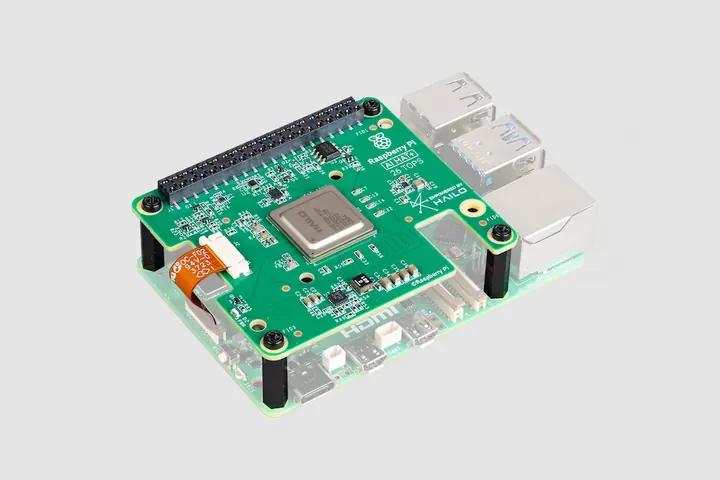
Vendors publish peak TOPS figures that are usually INT8 and sometimes assume sparsity, so treat the ranges below as approximate and benchmark your own model.
| Class | Approx. AI throughput | Typical power | Good for |
|---|---|---|---|
| MCU-class (microcontrollers with DSP or micro-NPU) | Well under 1 TOPS | Milliwatts to ~1 W | Wake-word, presence detection, tiny classifiers, triggering a larger system |
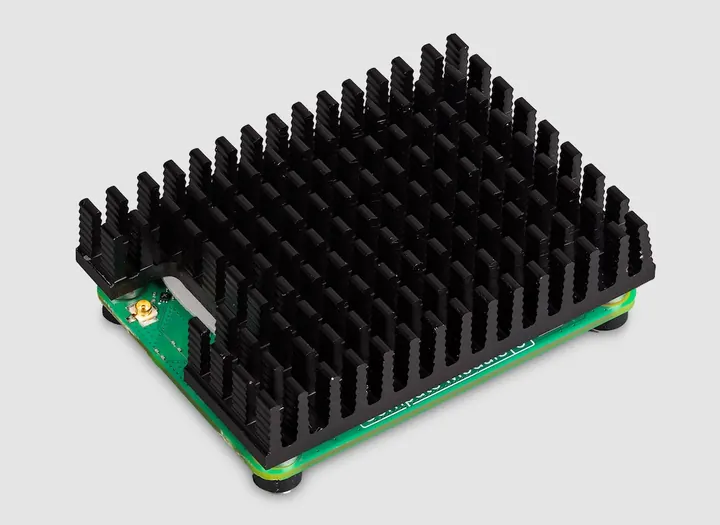
| NPU AI cameras and accelerator boards (M.2, PCIe, SoC NPUs) | ~1–30 TOPS | ~1–10 W | Object detection and tracking on one to a few streams, smart cameras |
| Jetson-class GPU modules | Tens to a few hundred TOPS; top-end modules go higher | ~10–75 W | Multi-camera perception, segmentation, depth, on-robot multi-model pipelines |
| Edge servers with discrete GPUs | Hundreds to thousands of TOPS | Hundreds of watts to several kW | Site-level analytics across dozens of streams, larger vision-language models |
Two practical points matter more than peak TOPS. First, the hardware video decoder: decoding several 1080p or 4K streams on a CPU can bottleneck a pipeline before the accelerator is busy. Second, software support: an accelerator is only as useful as its compiler's coverage of your model's operators.
Model optimization for edge AI
A model trained in FP32 on a data center GPU rarely runs well on an edge device unchanged. Four techniques do most of the work:
- Quantization to INT8: typically reduces model size about 4x versus FP32 and often speeds up inference 2–4x on hardware with INT8 support. Post-training quantization with a few hundred representative calibration images is usually enough for detection models; quantization-aware training recovers accuracy when it is not.
- Pruning: structured pruning (removing whole channels or layers) yields real speedups on most hardware; unstructured sparsity helps only where the runtime exploits it.
- Distillation: train a small student model to mimic a large teacher. This pairs naturally with hybrid architectures, where the teacher runs in the cloud.
- Input and architecture choices: lower input resolution, a region of interest crop, or a lighter backbone often deliver bigger gains than any compiler flag.
Then compile for the target. NVIDIA TensorRT builds optimized engines for Jetson and data center GPUs; Intel OpenVINO targets Intel CPUs, integrated GPUs and NPUs; TensorFlow Lite (now LiteRT) targets mobile SoCs and microcontrollers; and ONNX Runtime provides a portable path with execution providers for many accelerators. A common portable flow is to export to ONNX, quantize statically, then build a hardware engine:
from onnxruntime.quantization import (
    CalibrationDataReader, QuantFormat, QuantType, quantize_static)
import numpy as np

class FrameReader(CalibrationDataReader):
    def __init__(self, frames, input_name="images"):
        self._it = iter([{input_name: f[np.newaxis].astype(np.float32)} for f in frames])
    def get_next(self):
        return next(self._it, None)

frames = load_calibration_frames("calib/", n=500)   # representative site imagery
quantize_static(
    "detector_fp32.onnx", "detector_int8.onnx",
    calibration_data_reader=FrameReader(frames),
    quant_format=QuantFormat.QDQ,
    activation_type=QuantType.QInt8,
    weight_type=QuantType.QInt8,
    per_channel=True,
)
# On a Jetson-class device: build a TensorRT engine from the QDQ model
trtexec --onnx=detector_int8.onnx --int8 --saveEngine=detector_int8.engineHybrid edge-cloud patterns that work
Pure edge and pure cloud are both rare in production. These hybrid patterns cover most robot and AI camera fleets.
Edge filtering with cloud re-processing
A small, fast model on the device decides what is interesting; a larger, more accurate model in the cloud re-processes only those frames. The edge model is tuned for high recall, the cloud model for precision.
Event clips
Keep a rolling ring buffer of encoded video on the device (for example, the last 10 minutes). When a trigger fires (a detection, a fault code, a safety stop or an operator button), cut a clip with pre- and post-roll and upload it with its metadata. Clips are what engineers and customers actually watch.
Embeddings and metadata only
For privacy-sensitive sites or constrained links, upload only detections, tracks and compact embeddings. Embeddings support similarity search and drift analysis without exposing raw images, though they should still be treated as potentially sensitive data.
Active learning: sending hard examples upstream
The most valuable frames are those the model is unsure about. Flag frames where top confidence falls in an ambiguous band (say 0.35–0.6), where the edge and a periodic cloud check disagree, or where tracks flicker. Upload these with a per-device daily budget, label them, retrain, and ship the next model version. This closes the loop between fleet operations and model quality with a few hundred megabytes per day rather than terabytes.
When the cloud is the right place: 3D scan defect detection
One MerkleBot project used a Universal Robots arm to capture 3D scans of products and stream them securely to a cloud AI for defect and fraud detection. That workload fits the cloud well: scans are discrete and low-frequency rather than continuous video, the decision is not needed within the robot's control loop, the models are heavy, and fraud detection benefits from comparing scans across products, batches and sites, which a single edge device cannot see. The edge's job there is secure, reliable capture and transport.
Containerized deployment and OTA model updates
Package inference as containers so that the runtime, drivers, pre-processing code and model are versioned together. On the device, a minimal stack is an inference service plus an uploader that manages the spool, bandwidth and priorities:
services:
  inference:
    image: registry.example.com/vision/detector:2.4.1
    restart: unless-stopped
    # On Jetson-class devices you may use "runtime: nvidia" instead of the deploy block
    deploy:
      resources:
        reservations:
          devices:
            - driver: nvidia
              count: all
              capabilities: [gpu]
    environment:
      MODEL_PATH: /models/detector-2.4.1-int8.engine
      MODEL_VERSION: "2.4.1"
      STREAM_URLS: rtsp://cam-front.local:554/stream1,rtsp://cam-rear.local:554/stream1
      CONF_THRESHOLD: "0.45"
      HARD_EXAMPLE_BAND: "0.35,0.60"
      CLIP_PRE_SECONDS: "5"
      CLIP_POST_SECONDS: "10"
    volumes:
      - models:/models:ro
      - spool:/spool
    healthcheck:
      test: ["CMD", "curl", "-fsS", "http://localhost:8080/healthz"]
      interval: 30s
      timeout: 5s
      retries: 3

  uploader:
    image: registry.example.com/platform/uploader:1.9.0
    restart: unless-stopped
    depends_on:
      inference:
        condition: service_healthy
    environment:
      SPOOL_DIR: /spool
      INGEST_URL: https://ingest.example.com/v1/batches
      MAX_UPLINK_KBPS: "2000"
      PRIORITY: metadata,events,hard_examples
      LOCAL_RETENTION_HOURS: "72"
    volumes:
      - spool:/spool

volumes:
  models:
  spool:
Versioning, canary rollouts and rollback
- Immutable versions: pin images by tag and digest, and record the model hash and calibration dataset with every release.
- Canary rollouts: ship to a small cohort first (for example, 5% of devices, chosen across sites and hardware revisions), then 25%, then the whole fleet.
- Health gates: promote only if frames per second, p95 latency, crash loops, memory and detection rates stay within bounds versus the previous version.
- Automatic rollback: keep the previous image and model on the device so reverting never depends on connectivity.
- Shadow mode: optionally run the new model alongside the old one and compare outputs before letting it drive actions.
The MerkleBot Agent runs any compute as Docker containers on the robot or edge device, which makes this pattern repeatable across mixed hardware; see edge compute services.
Monitoring model drift across a fleet
A model that scored well at launch degrades silently when lighting changes with the seasons, a customer introduces new packaging, or a lens gets dirty. Monitor three layers per device and per site:
- Input drift: brightness and contrast histograms, blur scores, and embedding distributions compared to a reference window using a statistic such as the population stability index.
- Output drift: class frequencies, confidence distributions and the share of frames in the hard-example band. A sudden rise in low-confidence frames on one robot often means a camera problem, not a model problem.
- Measured performance: precision and recall on a small, regularly labeled sample from each site.
Alert on per-device deviations from the fleet baseline, not only on fleet averages, because averages hide the one robot whose camera was knocked out of alignment. Feed these metrics into the same dashboards as robot health; MerkleBot's fleet monitoring connects to third-party monitoring and analytics tools for this.
Decision matrix and deployment checklist
| Criterion | Favors edge | Favors cloud | Typical hybrid answer |
|---|---|---|---|
| Latency need | Under ~200 ms, affects robot behavior | Seconds to hours, human consumers | Act on edge, analyze in cloud |
| Data volume | Continuous multi-camera video | Sparse images or scans | Upload metadata, clips and hard examples |
| Privacy | Raw video may not leave site | Data already anonymized or non-personal | Blur or embed on edge |
| Connectivity | Intermittent, metered or mobile | Reliable wired uplink | Store-and-forward spool |
| Model size | Fits device after INT8 optimization | Large or ensemble models | Distilled edge student, cloud teacher |
| Cross-site context | Decision is local | Needs fleet-wide correlation | Edge features, cloud correlation |
Checklist
- Bandwidth budget computed per camera, per robot and per site, including peak hours.
- Latency requirement written down for each analytics output.
- Privacy constraints agreed with the customer: what may leave the site, in which form.
- Hardware benchmarked end to end at real resolution and stream count.
- Model quantized and calibrated on site data, re-validated on a held-out set.
- Containers versioned with model hash; previous version retained on device.
- Canary cohorts, health gates and automatic rollback configured.
- Ring buffer, event clip triggers and hard-example budget defined.
- Drift metrics and model version logged per device.
- Cloud archive tiering and retention policy set for clips and training data.
Frequently asked questions
Is edge AI always cheaper than cloud video analytics?
Not always. For continuous multi-camera video, edge inference almost always wins on bandwidth and storage. For sparse images, low frame rates or heavy models that would need expensive edge hardware, cloud processing can be cheaper. Model total cost per device over its expected life.
How much accuracy does INT8 quantization cost?
For many detection and classification models, well-calibrated post-training INT8 quantization costs little accuracy, but it varies by architecture and data. Measure on a held-out set from your deployment sites and use quantization-aware training if the drop is too large.
What should an AI camera upload if bandwidth is very limited?
Prioritize metadata (detections, tracks, counts), then short event clips, then hard examples for retraining. Rate-limit the uploader and keep a local spool so nothing critical is lost during outages.
How do I update models on robots safely?
Ship models in versioned containers, roll out to a canary cohort with health gates, keep the previous version on the device for instant rollback, and log the model version with every output.
Can ROS 2 robots use the same computer vision pipeline?
Yes. The inference container can subscribe to image topics instead of RTSP streams and publish detections as ROS 2 messages, while clips and metadata flow into the same logging pipeline; see our ROS 2 data logging guide.
Conclusion: place each workload where its constraints point
The edge-versus-cloud question is really a series of smaller decisions, one per workload. Compute the bandwidth, write down latency and privacy requirements, and the placement usually becomes obvious: act and filter on the edge, learn and correlate in the cloud, and connect the two with event clips, metadata and an active learning loop. Then operate models like firmware, with versioning, canaries, rollback and drift monitoring. Browse our use cases to see these patterns on real fleets.
Running video analytics across robots or AI cameras? Book a 30-minute demo to see how MerkleBot handles edge containers, uploads and hybrid storage for your fleet.